


Gallery
4.4309.00 Reviews
App Specs
- Version
- 3.3
- Updated On
- License
- Free
- Downloads
- 500,000+
- Developer
- Gallery - Photo Gallery Apps
- Categories
- Photography
- Platform
- Android
Screenshots

 Analysis by AppCompare
I judge a photo gallery by the everyday jobs it makes easier: finding a picture in a crowded camera roll, separating family shots from screenshots, and getting back to a moment without scrolling endlessly. Gallery is a photography app from Gallery - Photo Gallery Apps, and it aims to make those small tasks feel less like housekeeping. My overall impression is that it is most appealing to people who want a straightforward place to browse and manage photos and videos, rather than a complicated creative suite.
What the current version is trying to do
The app is free to install and is rated for Everyone. It has an average rating of 4.4 from around 4,300 ratings, with roughly 300 written reviews, and it has passed 500,000 installs. Those figures suggest that it has found an audience, though popularity alone does not tell me whether its particular approach will suit your habits. The current release is version 3.3, and the app first appeared on January 17, 2025. It runs on Android 8.0 and later.
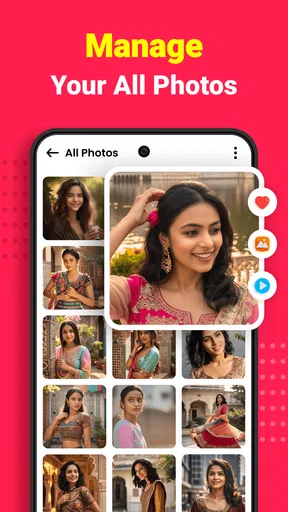
For a phone owner whose pictures accumulate faster than they get sorted, a dedicated gallery can be useful even when the device already includes a basic photo viewer. I would look at this app as a daily organizer first: it is meant to bring photos, videos, and albums into a place where browsing and routine management are easier. It is not automatically the right choice for someone who mainly wants advanced image editing, a cross-device archive, or a full backup plan.
Where it fits into a photo routine
A useful way to try it is to start with a familiar task instead of reorganizing your entire library. For example, after a weekend trip, I would open the gallery, scan the new pictures, and put the keepers into an album while the location and people are still fresh in my mind. That small habit makes later searches less frustrating, without requiring a big one-time cleanup project.
Albums are also helpful when you need to share a selection rather than your whole camera roll. I would separate images for a family event, a work handout, or a home repair project before sending anything. This creates a quick visual checkpoint: you can review the intended group together and avoid accidentally choosing a nearby screenshot or unrelated image. That is a practical benefit of organizing as you go, not a promise that every file will be sorted automatically.
Compared with the standard gallery that comes with a phone, a separate app is worth considering only if its browsing and album workflow feels better to you. Compared with cloud photo services, a gallery is a different kind of tool: it helps you work with media on the device, while a cloud service is usually the more relevant choice when your main concern is keeping a copy elsewhere or viewing a library on multiple devices. I would not treat one as a substitute for the other without checking what each actually does for your needs.
What the version history can and cannot tell you
The release date and current version give a useful point of reference: this is a relatively recent app, with version 3.3 as its present release. That tells me the product has moved beyond its first version, but it does not, by itself, establish which features changed or how those changes affect a particular phone. I prefer to separate that confirmed snapshot from expectations about future development.
Worth Reading Before You Choose

EA SPORTS FC Mobile 26 Is a Bigger Football Game, but It Takes Time

Flipboard Shows What News Apps Must Do Beyond the Feed

Switching to Android Auto Means Rethinking Your Driving Routine

Google Calendar Makes a Crowded Week Easier to Manage

Ludo King Makes the Most of the Minutes Between Plans

Baby Panda World Brings Quick Play to Modern Phones, but Its Game Library Feels Busy
For someone already using it, the sensible approach is to assess the version currently installed rather than assume a new number means a specific redesign or improvement. After updating, check the everyday actions that matter to you—opening a large album, finding a recent video, and confirming that your chosen albums still appear as expected. If a gallery is part of your routine, even a small change in navigation can affect how quickly you can do those jobs.
People considering a switch can also reduce friction by testing with a small, recognizable set of pictures first. Browse a few recent images, make one test album, and see whether the app presents your library in a way that makes sense. This gives you a more reliable answer than installing it and immediately trying to reorganize years of photos.
Costs, expectations, and sensible limits
The app is free, with in-app purchases listed at $9.99 to $14.99 per item. I would try the basic experience before paying for anything and decide whether the features you personally use justify the purchase. A paid option is only good value when it solves a real problem in your routine; it is not necessary to spend money simply because a gallery has extra capabilities.
My main caution is about expectations. A gallery can make browsing and sorting more comfortable, but it should not be assumed to protect your pictures against a lost or damaged phone. If the photos matter, keep a separate backup plan that you understand and have checked. Likewise, if your priority is detailed retouching, a specialist editor will usually be a better fit than relying on a general-purpose gallery for every creative task.
For large libraries, organization is most effective when it is gradual. Rather than trying to label everything at once, I would create a few useful albums for ongoing needs and add photos when an occasion gives them a natural home. If the app’s layout does not make those groups easy to revisit, or if you regularly move pictures between several devices, another organizer may suit you better.
How it feels in everyday use
When I first opened Gallery, I was greeted with a sleek and modern interface. It's one of those apps that just "feels" right. You know what I mean? The layout is intuitive, and it doesn't take a rocket scientist to figure out how to navigate through it. The main screen offers a clean grid of photos, making it super easy to locate your favorite memories.
Features That Stand Out
Gallery is packed with features that aim to make your photo management experience as smooth as possible. Let me walk you through some of the highlights:
- Auto-Organization: The app automatically sorts your photos into albums based on various criteria like location, time, and even facial recognition. This is a game-changer for someone like me who’s a bit of a mess when it comes to organizing.
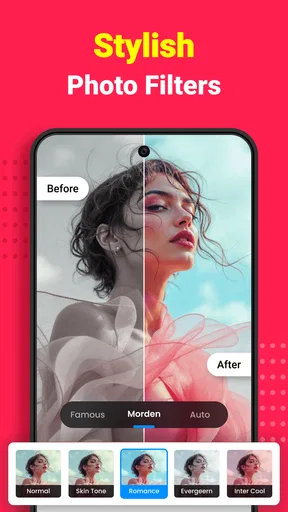
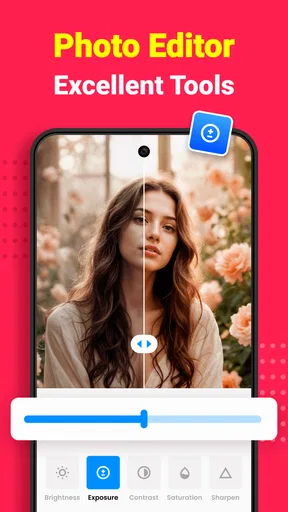
- Editing Tools: Not only can you view your photos, but you can also edit them right within the app. From filters to cropping and adjusting brightness, it’s all there. I found this particularly useful for quick touch-ups.
- Cloud Syncing: The app offers seamless integration with cloud services, ensuring that your photos are backed up and accessible wherever you are. No more panic attacks when you lose your phone!
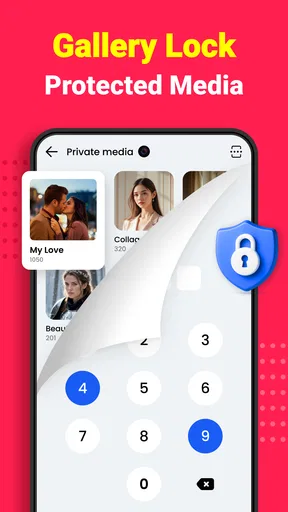
- Privacy Features: In a world where privacy is a growing concern, Gallery allows you to hide certain albums or photos. It’s like your own personal vault.
The User Experience
Using Gallery is genuinely a pleasant experience. Everything just works, and I didn’t encounter any major bugs or crashes, which is a relief. The app is responsive, and the load times are impressively quick. One of my favorite features is the "Memories" section, which curates past photos and creates little slideshows. It’s a nostalgic touch that I didn’t know I needed until I had it.
What Could Be Better?
Now, no app is perfect, right? While I thoroughly enjoyed using Gallery, there are a few areas where it could improve. For starters, the facial recognition feature, while cool, isn’t always accurate. A few of my friends were misidentified, which led to some chuckles but could be an annoyance for some.
Another thing is the sync speed with cloud services. While it does the job, there were times when I wished it were a bit faster. If you’re trying to access a large batch of photos, you might need to exercise a bit of patience.
Final Thoughts
So, is Gallery worth downloading? In my opinion, absolutely. It’s packed with features that make managing and editing photos a breeze. The interface is user-friendly and visually pleasing, which is a big plus in my book. While there are a few minor areas for improvement, they’re not deal-breakers.
If you’re on the lookout for a reliable photo management app that offers a great balance of functionality and ease of use, then Gallery is definitely worth a try. You can download it for both Android and iOS, making it accessible to pretty much everyone. Go ahead and give it a spin; your digital photo album will thank you!
Pros
- Intuitive interface with easy navigation.
- Supports a wide range of media formats.
- Quick and smooth photo editing tools.
- Efficient cloud backup integration.
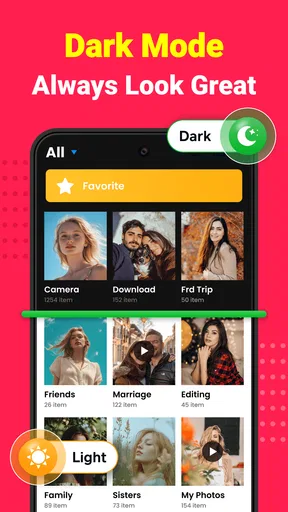
- Highly customizable viewing options.
Cons
- Lacks advanced editing features.
- Ads can be intrusive at times.
- Limited free cloud storage space.
- Occasional app crashes reported.
- Some features locked behind paywall.
FAQs for Gallery
What features does the Gallery app offer for organizing photos?
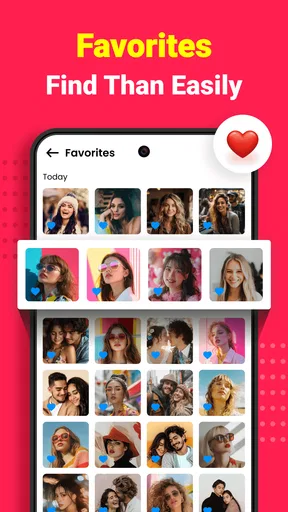
The Gallery app provides a range of features for organizing your photos, including automatic sorting by date, location, and custom albums. It also allows you to tag and favorite images for quick access. Advanced search options make finding specific photos a breeze, enhancing user convenience.
Is the Gallery app compatible with both Android and iOS devices?
Yes, the Gallery app is designed to work seamlessly on both Android and iOS platforms. It offers a consistent user experience across devices, ensuring that you can manage and view your photos regardless of the operating system you're using.
Does the Gallery app support cloud backups for photos?
The Gallery app supports cloud backups, allowing users to securely store their photos online. This feature ensures that your images are safe and accessible from any device. You can choose from several cloud service options to suit your needs and storage preferences.
Are there any privacy concerns with using the Gallery app?
The Gallery app prioritizes user privacy by implementing robust security measures. It offers options to lock specific albums with passwords or biometric authentication. Additionally, all data is encrypted, ensuring that your personal photos remain private and secure from unauthorized access.
What editing tools are available within the Gallery app?
The Gallery app includes a variety of editing tools to enhance your photos. Users can adjust brightness, contrast, and saturation, as well as apply filters and effects. Cropping and rotating tools are also available, providing a comprehensive suite for photo editing directly within the app.


